Understanding Different Types of DNS Records
How Does a Browser Know Where a Website Lives?

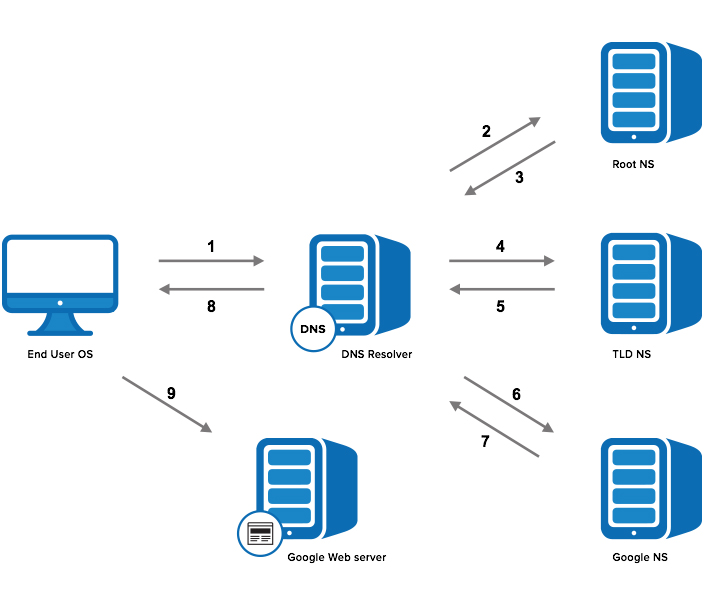

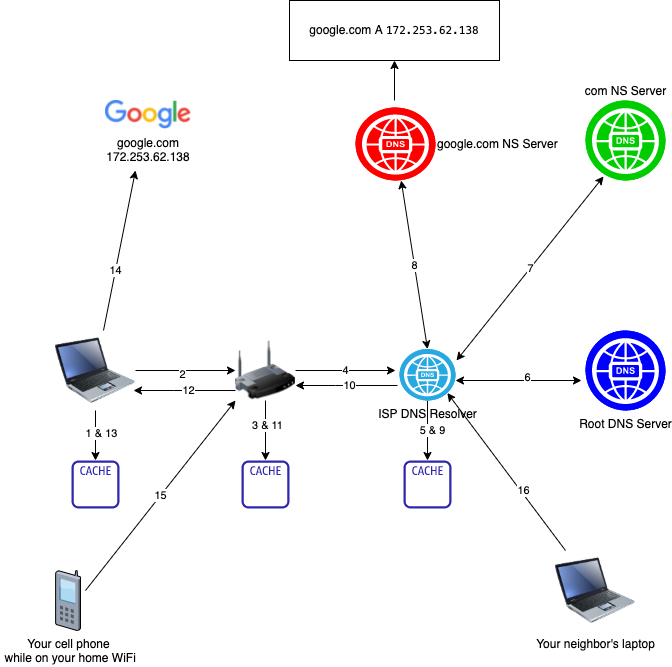
When you type example.com into your browser and press Enter, your computer doesn’t magically know where that website is located. Computers communicate using IP addresses like 192.0.2.1, not human-friendly names.
So how does your browser find the correct server?
The answer is DNS (Domain Name System).
Think of DNS as the phonebook of the internet. Instead of remembering phone numbers (IP addresses), you remember names (domain names). DNS records are the entries inside that phonebook that tell the browser exactly where to go.
Why DNS Records Are Needed
A domain is not just a name. It needs instructions that answer questions like:
Where is the website hosted?
Where should emails be delivered?
Which server is responsible for managing this domain?
Is this domain an alias of another domain?
DNS records solve these problems. Each record type has a specific job. Let’s explore them one by one.
NS Record – Who Is Responsible for the Domain?
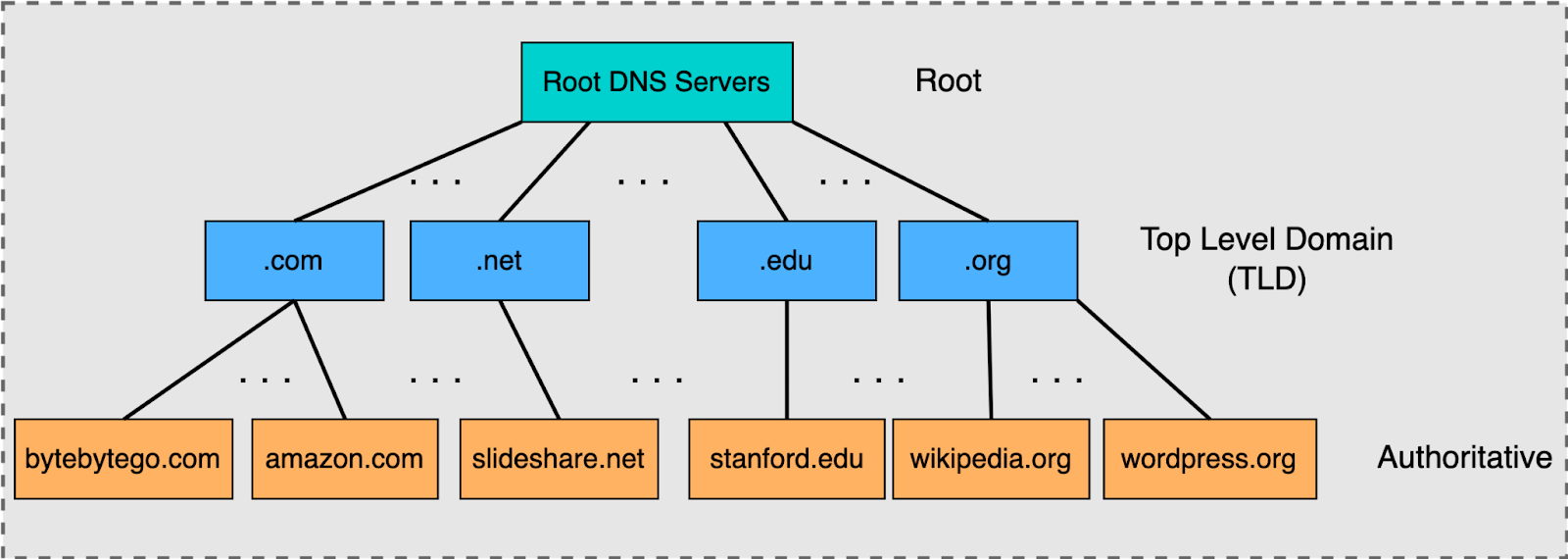

NS (Name Server) records define which servers are responsible for a domain.
Imagine you own a house. You appoint a property manager who handles everything about it. NS records are like appointing that manager. They tell the internet:
“If you need information about this domain, ask these servers.”
Without NS records, DNS would not know where to look next. They establish authority and delegation in the DNS hierarchy.
A Record – Domain → IPv4 Address
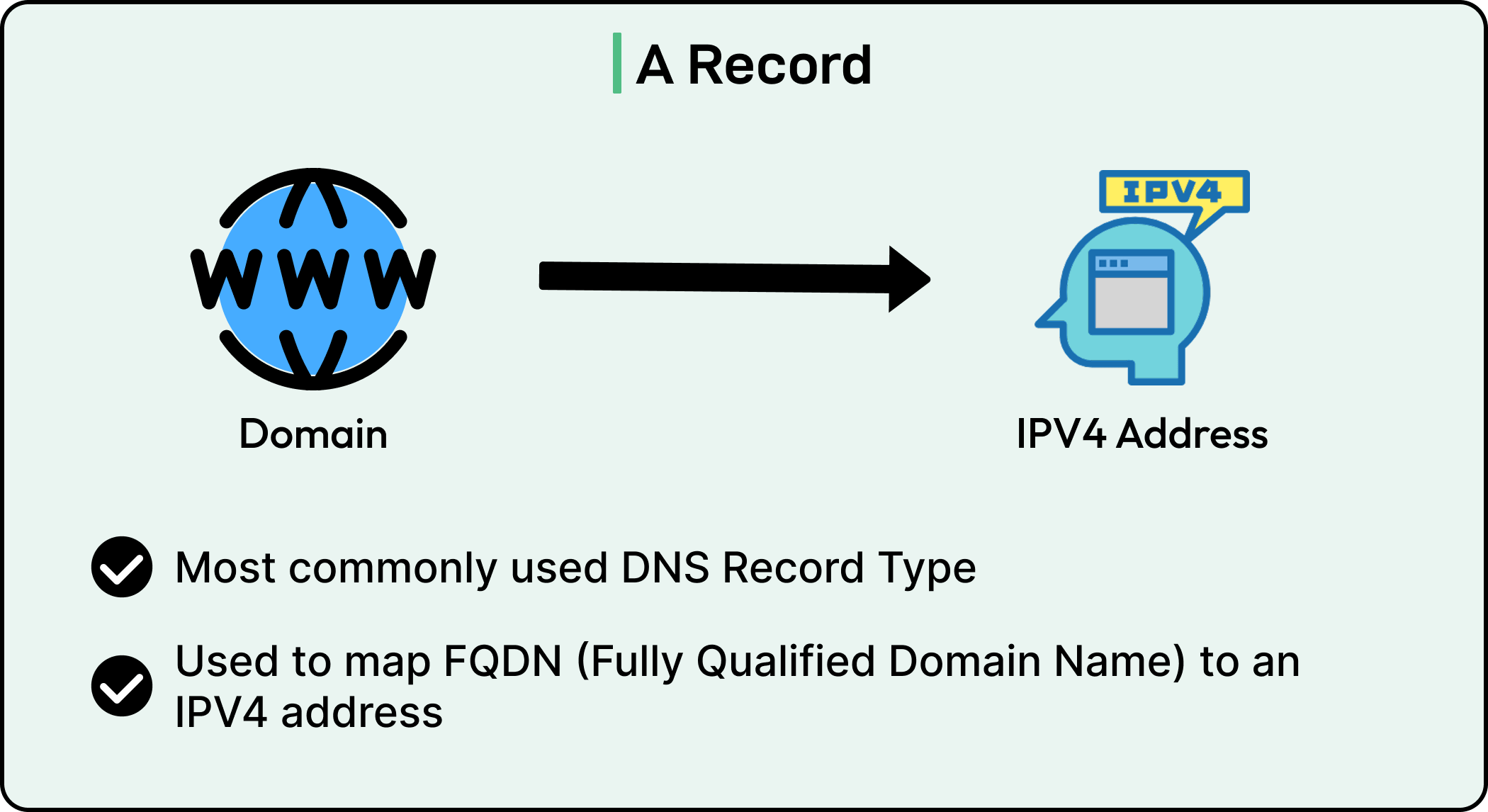
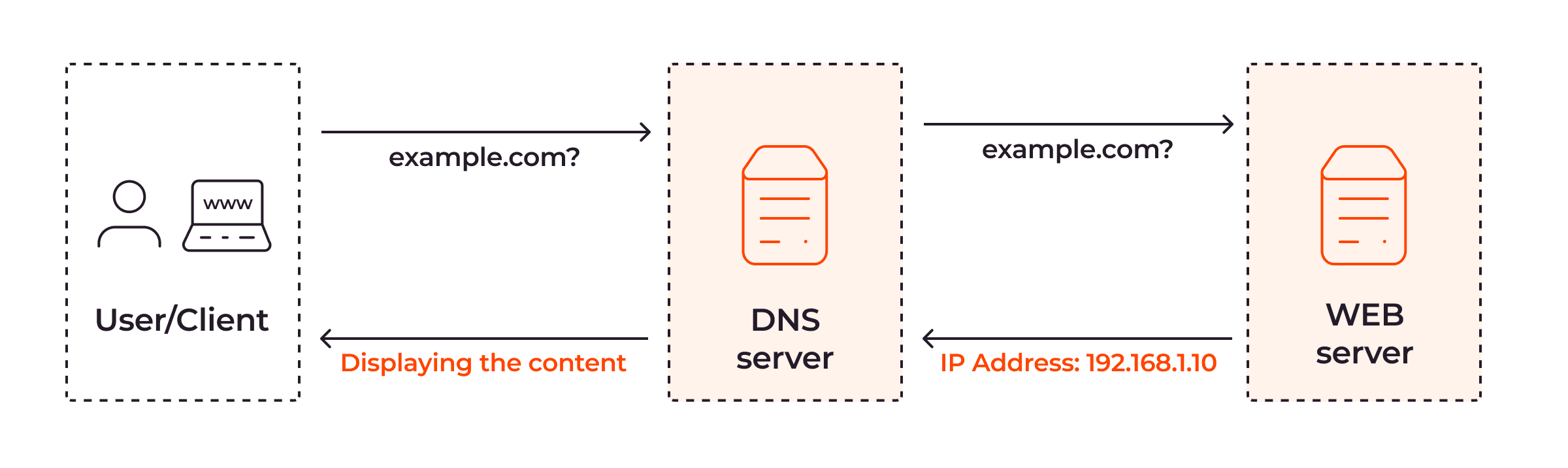
An A record maps a domain name to an IPv4 address.
For example:
example.com → 192.0.2.1
This record answers the question:
“What is the IPv4 address of this website?”
If your domain is your house name, the A record is your house’s street address.
When your browser gets the A record, it knows exactly where to send the request.
AAAA Record – Domain → IPv6 Address


An AAAA record works exactly like an A record, but it maps the domain to an IPv6 address instead of IPv4.
Example:
example.com → 2001:db8::1
IPv6 exists because the internet needed more IP addresses. AAAA records solve the same problem as A records, just for the newer addressing system.
CNAME Record – One Name Points to Another
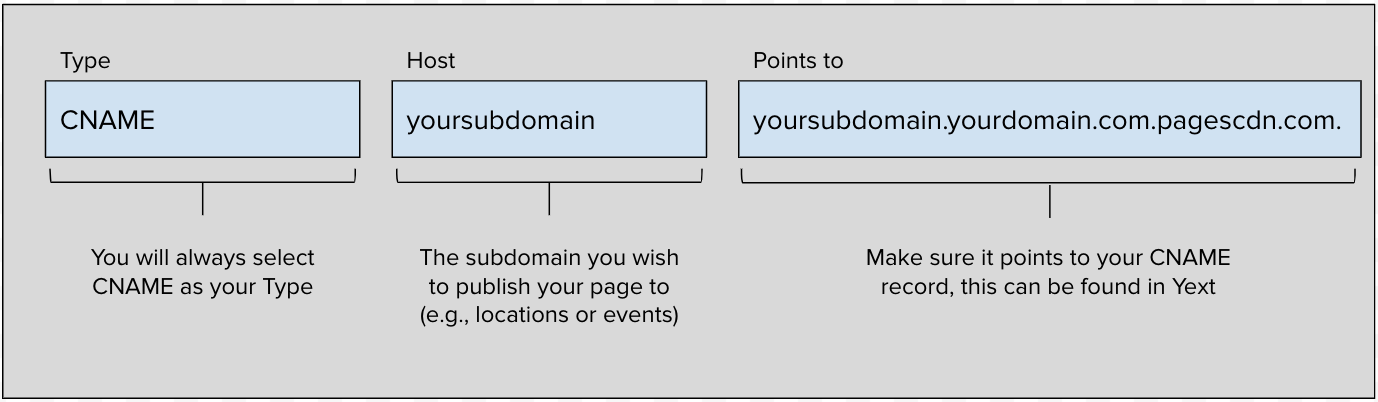
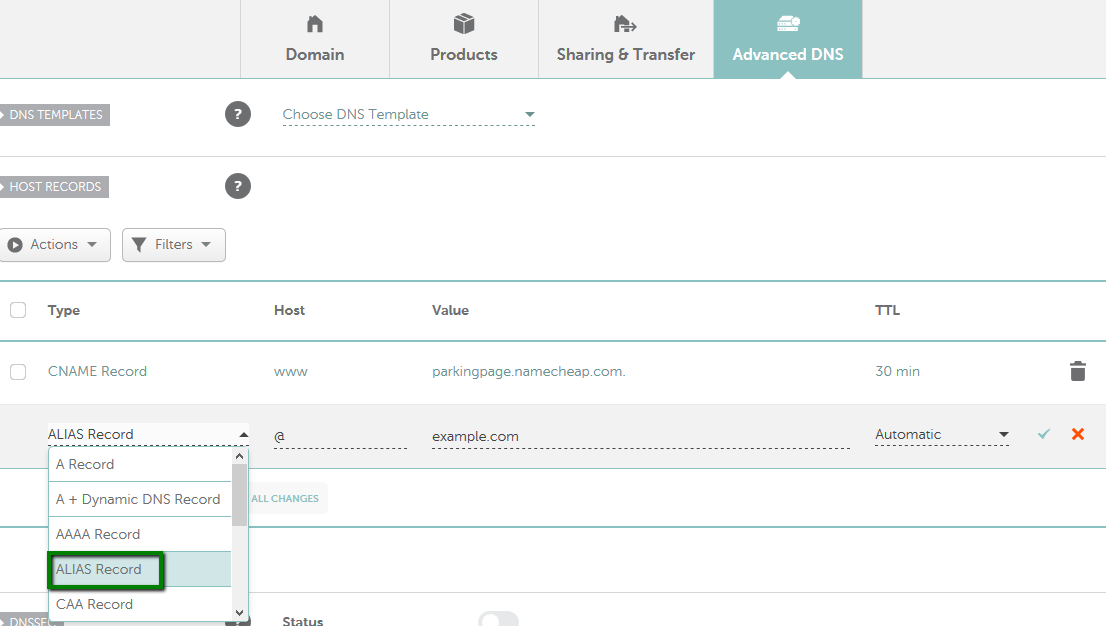

A CNAME (Canonical Name) record makes one domain name point to another domain name.
Example:
www.example.com → example.com
Instead of pointing directly to an IP address, it points to another name.
Think of it like a nickname. If “Alex” is short for “Alexander,” both names refer to the same person.
A vs CNAME (Common Confusion)
A record → points directly to an IP address
CNAME → points to another domain name
CNAME is useful when you want multiple domain names to refer to the same destination without repeating IP addresses.
MX Record – How Emails Find Your Mail Server
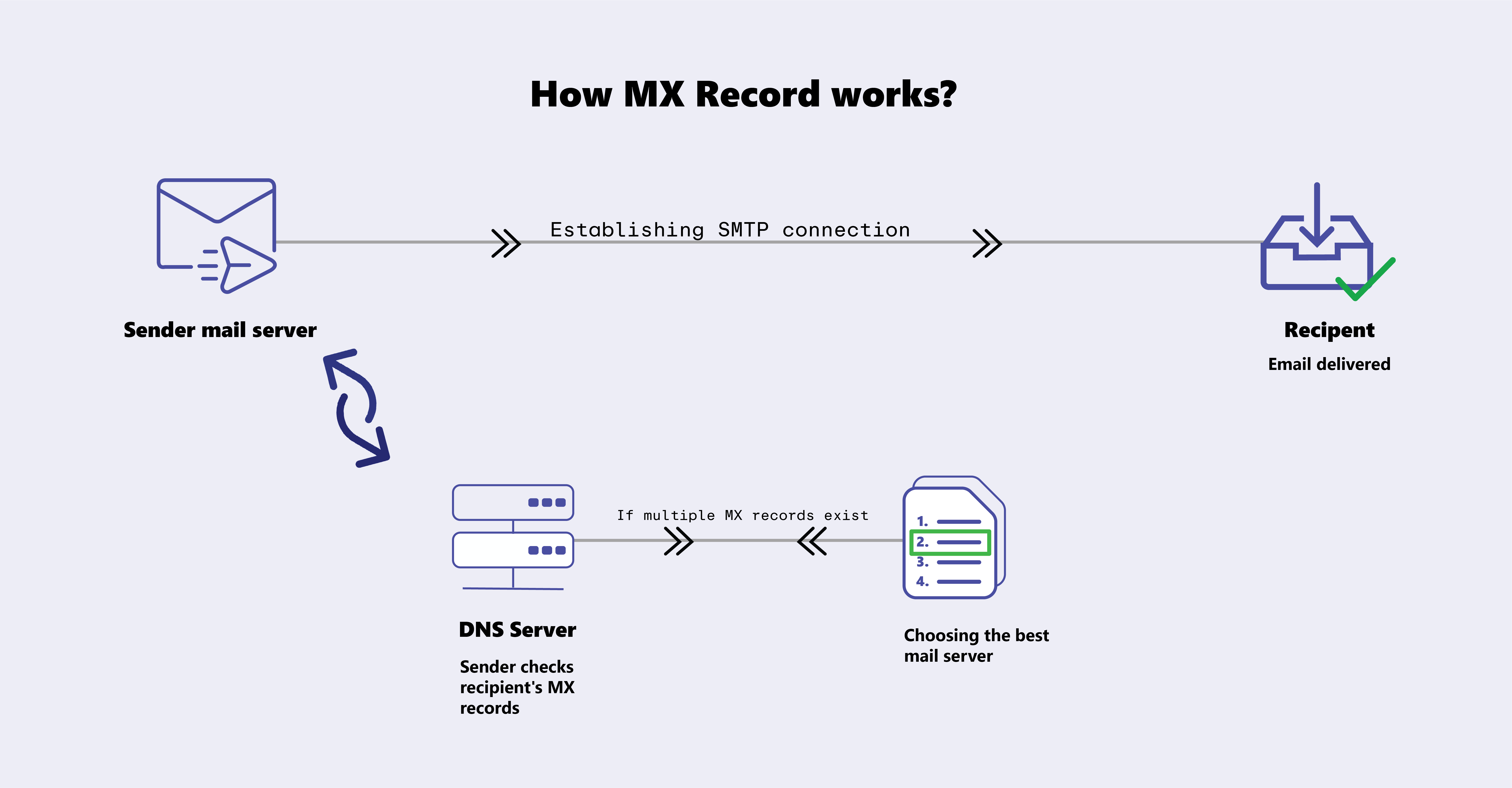
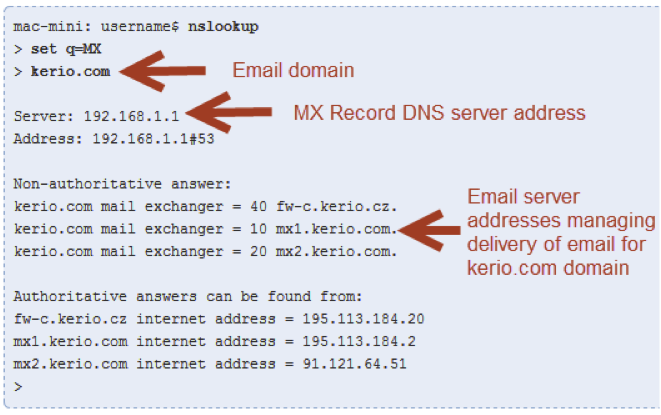
An MX (Mail Exchange) record tells the internet where to deliver emails for your domain.
Example:
example.com → mail.example.com
When someone sends an email to info@example.com, their email server checks the MX record to find the correct mail server.
If your domain is a company building, the MX record tells the courier which mail room to deliver letters to.
NS vs MX (Common Confusion)
NS → Who manages the domain
MX → Where emails for the domain should go
TXT Record – Extra Information & Verification

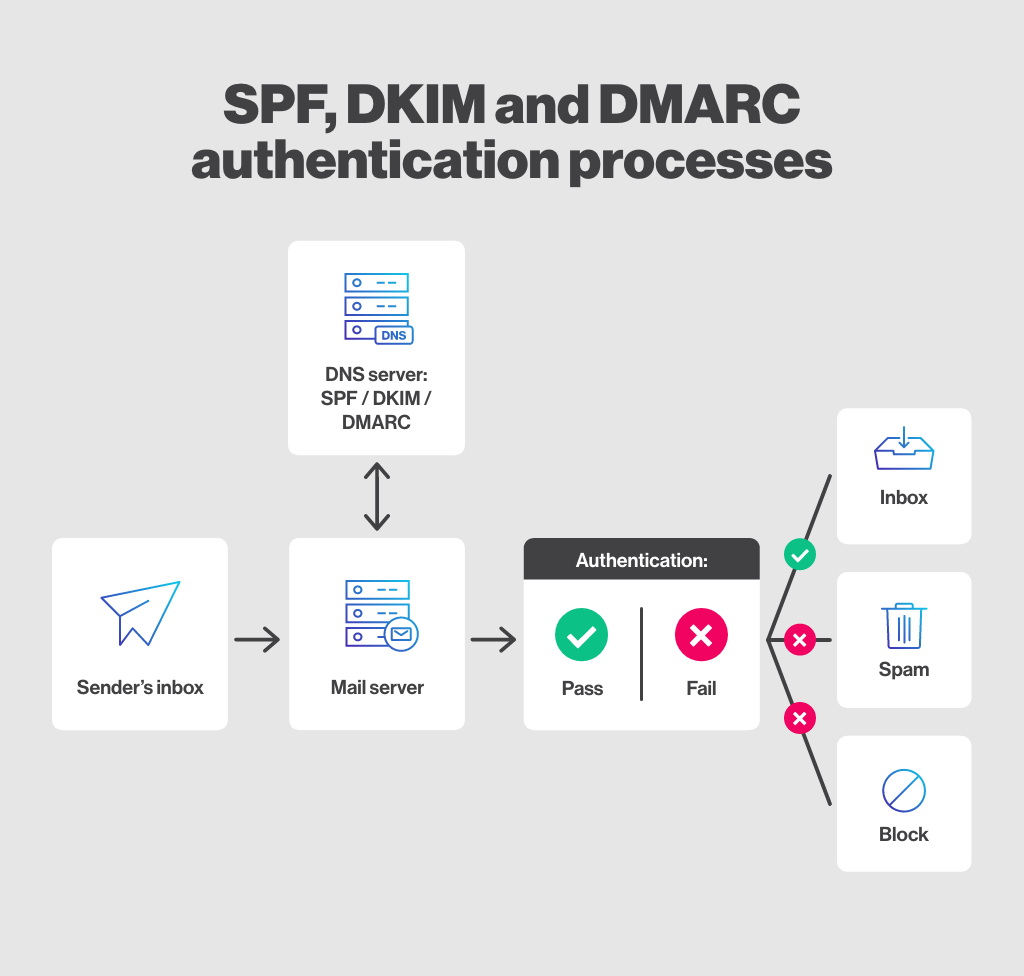
A TXT record stores text information related to a domain.
It is commonly used for:
Domain verification (Google, Microsoft, etc.)
Email security (SPF, DKIM)
Ownership confirmation
Think of it like leaving an official note in your mailbox saying:
“This property belongs to me.”
TXT records don’t map traffic — they provide additional information.
How All DNS Records Work Together for One Website
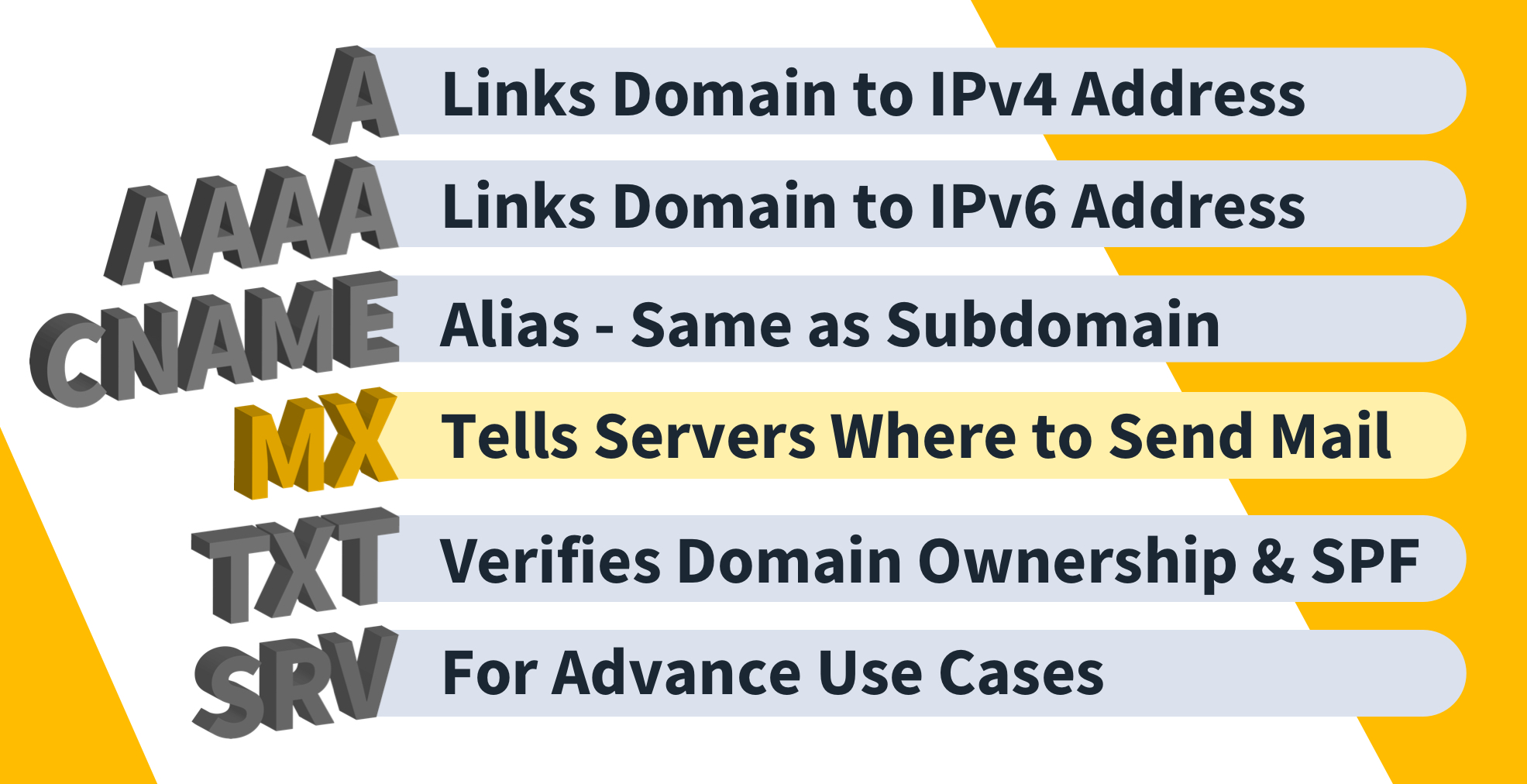
Let’s imagine a small website setup:
NS records → Define which name servers manage the domain
A record → Points
example.comto the web server IPCNAME record → Points
www.example.comtoexample.comMX record → Routes emails to the mail server
TXT record → Verifies domain ownership and secures email
All these records work together like a well-organized system.
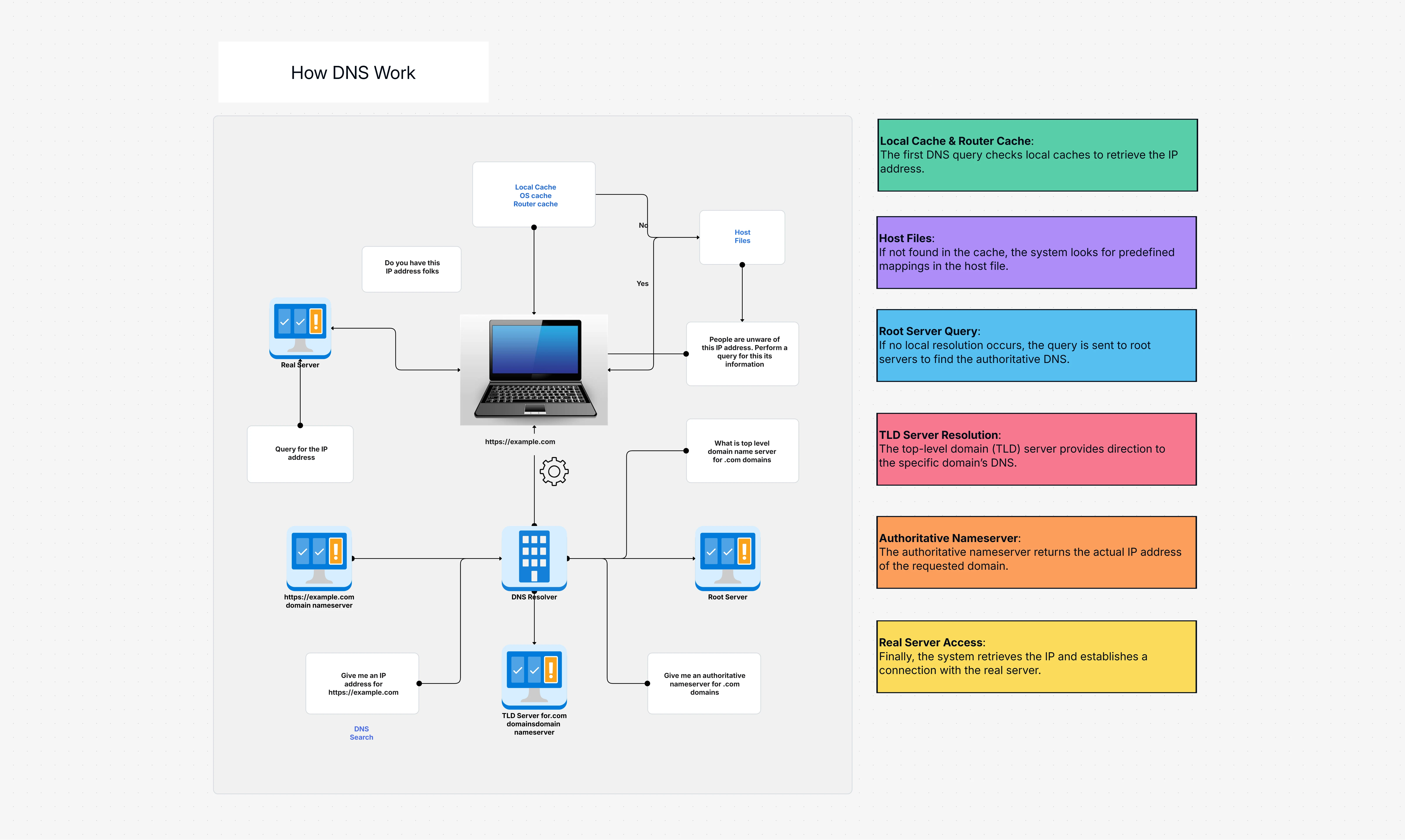
When a browser requests the website:
DNS checks NS records to find authority.
It looks up the A or AAAA record.
It returns the IP address.
Browser connects to the server.
When someone sends an email:
DNS checks MX records.
Email is routed to the correct mail server.